
Windows 11 is the latest major version of Microsoft’s flagship PC operating system, succeeding Windows 10. It upgrades the user experience with a redesigned interface, improved security, better performance, and a host of new features tailored for modern computing.
- Key Features and Improvements Over the Previous Windows Version
- What Exactly Is the “DVD / OEM” Version You’re Buying?
- Pros and Cons: Should You Buy the Physical DVD Version?
- What You Get: Windows 11 Home Features & Experience
- So, Should You Buy the DVD OEM Version from Amazon?
- Important Caveats: What Many Buyers Don’t Realize
- Recommendation: What I’d Do If I Were You, and What I Suggest to Readers
- Conclusion: A Mixed But Viable Option, Use It Wisely
The “Home” edition, Windows 11 Home, is aimed at consumers and everyday users. It includes the core functionalities of Windows 11 that most people need: a modern UI, productivity tools, gaming support, security protections, and more, but without some of the enterprise/business-level features found in “Pro.”
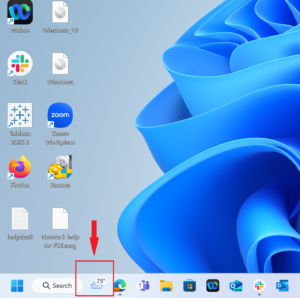
Key Features and Improvements Over the Previous Windows Version
Here’s a breakdown of what Windows 11 Home brings to the table:
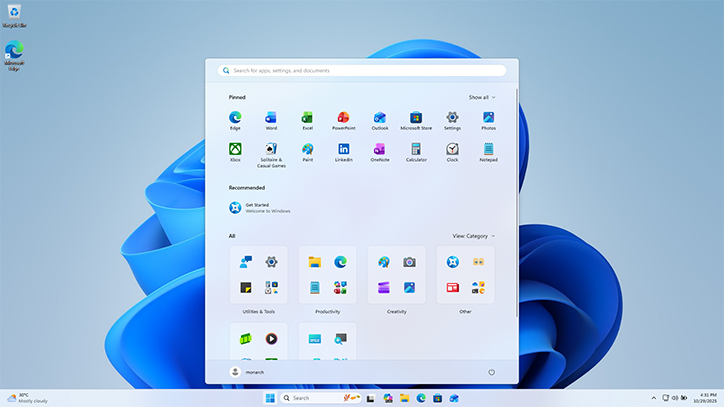
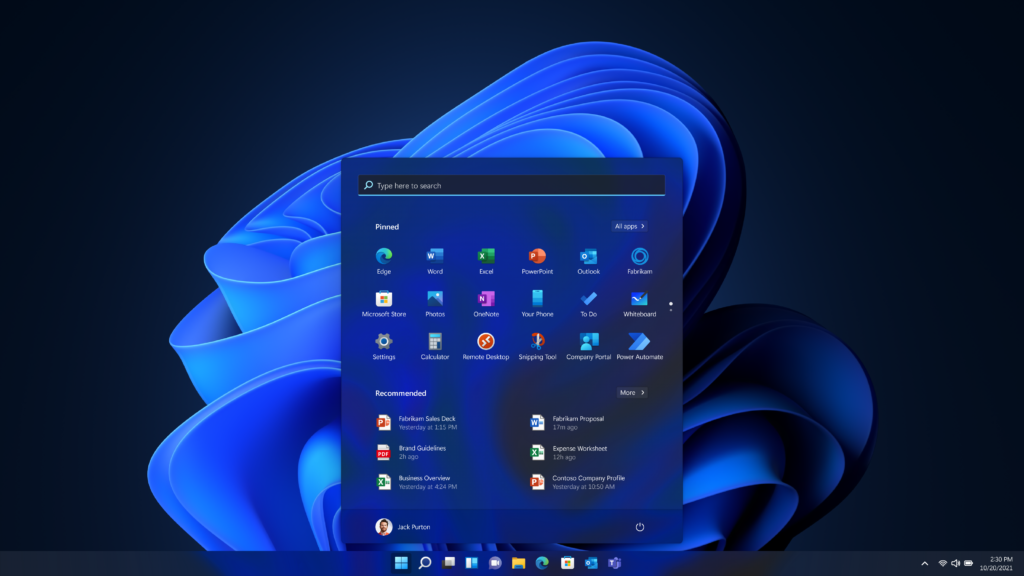
- Redesigned, modern user interface: Windows 11 introduces a refreshed look with a centered Start Menu, new iconography, rounded window corners, smoother animations, and a cleaner overall aesthetic — making the OS feel more modern and polished.
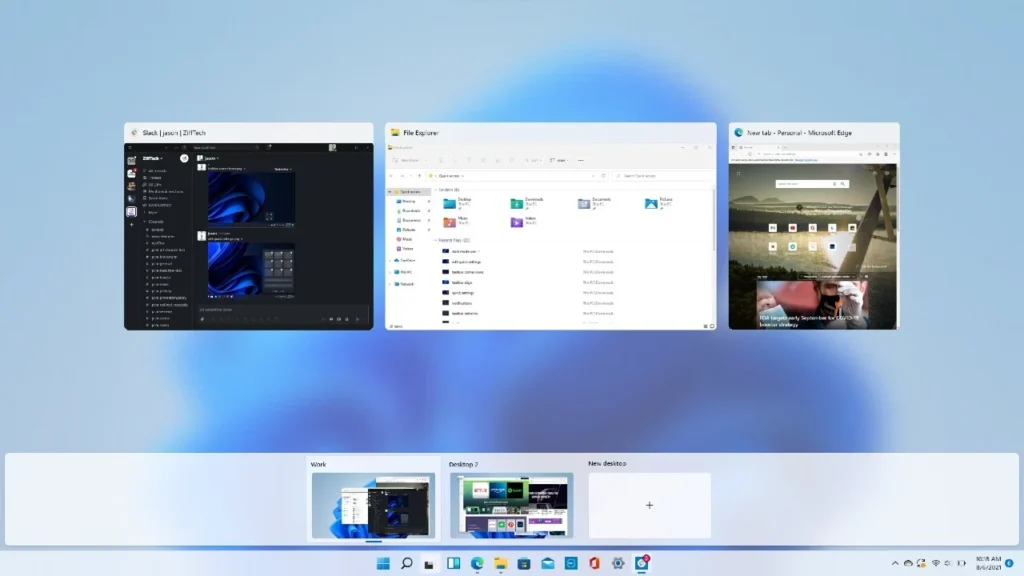
- Improved multitasking with Snap Layouts & Snap Groups: Windows 11 makes it easier than ever to arrange multiple open windows side by side in pre-defined layouts, perfect for productivity, multitasking, and organized workflows.
- Widgets & built-in productivity tools: The OS integrates a widgets panel for quick access to news, weather, calendar, and other personalized information
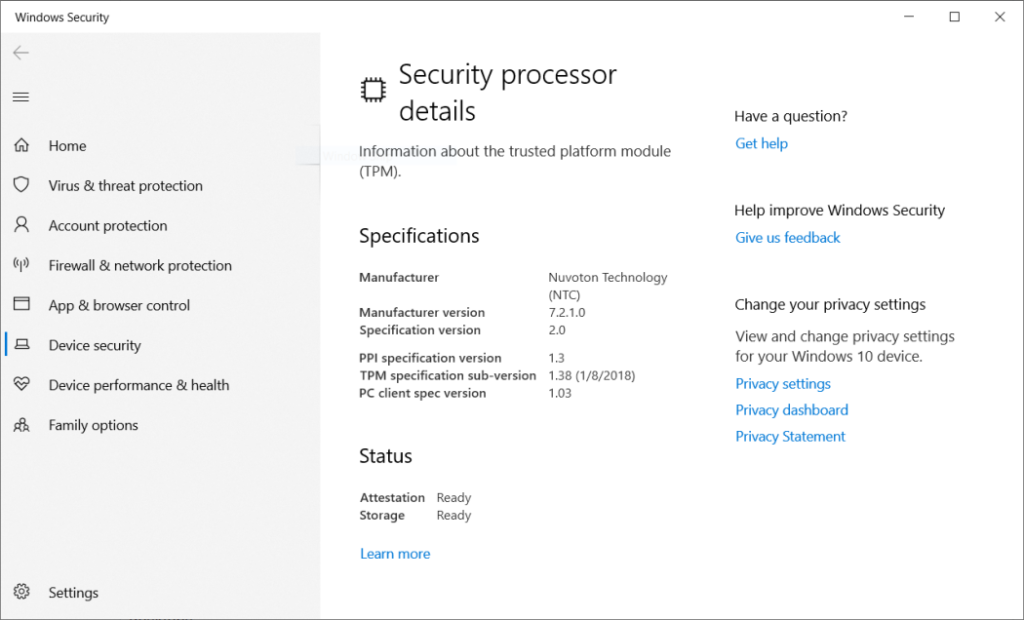
- Improved security: Windows 11 includes built-in security enhancements, including requirements like Trusted Platform Module (TPM 2.0), Secure Boot, and virtualization-based security, helping protect your data and guard against firmware-level attacks.
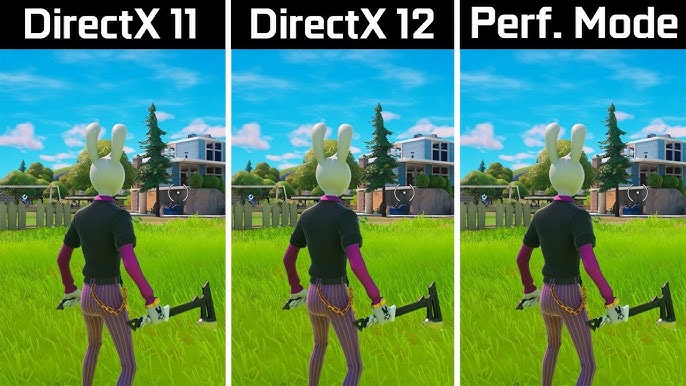
- Full support for modern hardware & gaming: Windows 11 supports newer processors, graphics cards (DirectX 12) for gaming, ensuring better graphics, performance, and compatibility with modern apps and games.
- Integrated collaboration & communication tools: For casual users as well as remote workers, Windows 11 integrates features like built-in chat/call support (via Microsoft’s ecosystem), making online collaboration simpler.
- Better performance and experience across devices: Whether you’re on a laptop, desktop, or 2-in-1 touch device, Windows 11 aims to deliver smoother performance, efficient resource management, and a pleasant user experience.
In short, Windows 11 Home gives everyday PC users a modern, efficient, and secure operating system — a strong foundation whether for work, study, entertainment, or creative projects.
What Exactly Is the “DVD / OEM” Version You’re Buying?
When you look at the Amazon listing link I provided, you’ll see “Microsoft Windows 11 Home 64-bit, OEM, DVD.” What does this mean?
“OEM” License
- OEM stands for Original Equipment Manufacturer (or, in some contexts, OEI /DSPI). An OEM license is typically intended for a single computer — the one you install it on. Once you activate Windows 11 Home using that license, the license key becomes tied to that hardware.
- In contrast to “Retail” licenses, OEM licenses cannot be transferred from one PC to another. If you build a new PC later, you’d need a new license to activate Windows 11 on that new machine.
“DVD” Installation Media
- The package includes a DVD-ROM with the Windows 11 Home installation files.
- That means you need a PC with a DVD optical drive (or an external USB DVD drive). Many modern desktops have one, but many modern laptops do not.
Physical vs. Digital / USB / Download
- Microsoft and many retailers often prefer digital/USB distribution for Windows 11. According to the vendor documentation, many “DVD versions” are not officially distributed by Microsoft — some listed DVDs may be seller-created or repackaged media.
- Because of that, some caution is advised: a DVD isn’t always guaranteed to be a “pure” OEM package directly from Microsoft.
So while the DVD/OEM version may give you something tangible to hold, and possibly a lower price than retail digital, there are trade-offs.
Pros and Cons: Should You Buy the Physical DVD Version?
Here’s a balanced look at the advantages and disadvantages of purchasing the DVD/OEM version of Windows 11 Home.
Pros
- Lower cost: OEM DVDs often sell at a slightly discounted price compared to full retail digital licenses. Some deals list the DVD for around USD $119 (or similar)
- Physical backup media: Having a DVD means you own installation media, useful for clean installs, reinstallation, or recovery.
- One-time purchase: Once you have the license, it covers your PC for life (on that hardware).
- Full Windows 11 Home features: You still get the same OS features as the regular Windows 11 Home, modern UI, security, performance improvements, multitasking tools, and more.
Cons / Things to Watch Out For
- Requires a DVD drive: Many modern PCs and laptops don’t ship with optical drives anymore, so you may need an external USB DVD drive to install.
- License tied to one PC: Because it’s OEM, you cannot transfer it to a different computer later.
- Potential authenticity issues: Some sellers on marketplaces may resell repackaged Windows 11 DVDs, possibly not genuine.
- Digital/USB copies might be easier: A USB flash drive or direct download is more convenient for many users, faster installation, and no need for optical drives.
- Modern standard is digital/USB: Officially, media creation tools and USB-based installations are preferred; DVDs are more “legacy.”
Given that, the physical DVD makes sense mostly for those who either already have a DVD drive, want backup media, or prefer having a tangible box rather than a digital key.
What You Get: Windows 11 Home Features & Experience
Let’s dive into what makes Windows 11 Home a worthy OS, what you actually get after installing (whether via DVD or digital), and why many users are excited.
A Sleek, Modern User Interface
Windows 11 skips the more dated “tile-based” appearance of earlier versions. Instead, it offers:
- A centered Start Menu — easier reach and more balanced layout.
- New iconography, smoother animations, and rounded window corners — visually appealing and more comfortable for daily use.
- A clean, minimal aesthetic that helps reduce clutter and improve focus.
For daily tasks like browsing, document editing, video calls, design work, or content consumption, this makes a noticeable difference compared with older, slower, or more cluttered interfaces.
Enhanced Productivity with Snap Layouts & Virtual Desktops
One of the most praised features of Windows 11 is its multitasking capability:
- Snap Layouts let you organize your open windows into predefined grid layouts — side-by-side windows, three-column splits, or even four-way grids.
- Snap Groups / Improved Window Management: Once you arrange your windows, Windows remembers the layout — making it easy to restore your workspace even after rebooting or switching tasks.
- Virtual Desktops — organize separate desktops for school, work, creative projects, gaming, or personal tasks. Keeps your digital workspace organized and decluttered.
For anyone who frequently multitasks — whether managing multiple documents, browsing, video calls, creative work, or research — this can greatly improve efficiency and comfort.
Built-in Security & Modern Hardware Support
Security is a major focus of Windows 11:
- Requires TPM 2.0, Secure Boot, virtualization-based security (VBS), and other protections, giving hardware-based security against firmware-level threats.
- Built-in support for modern processors, graphics cards (DirectX 12), and hardware features — ensuring smooth performance for both productivity software and games.
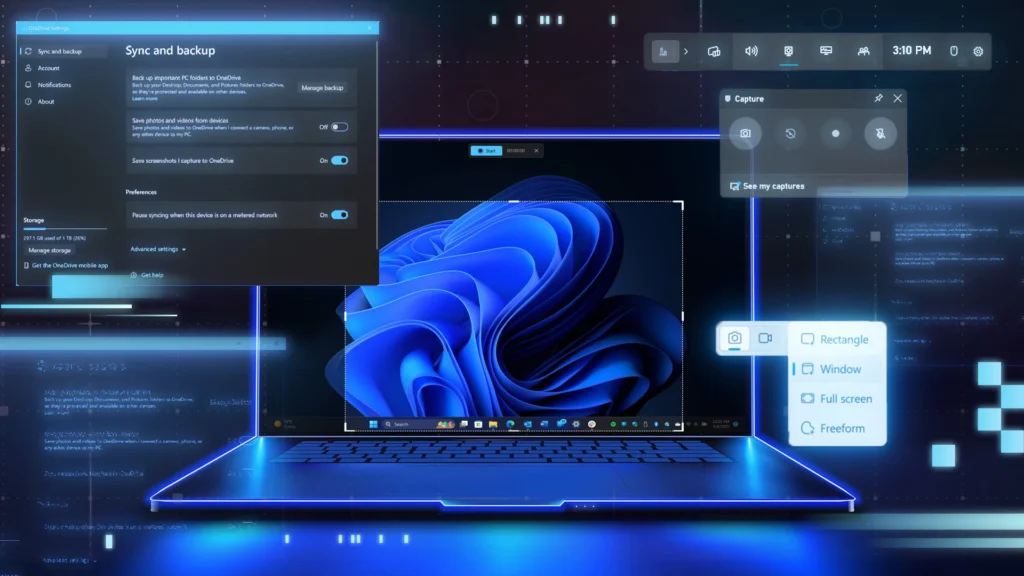
- Frequent updates & patches through Windows Update, keeping your system secure and up-to-date.
If you use your PC for important work, store sensitive data, or simply browse online, this built-in security boost is not trivial.
Multimedia, Gaming, and App Ecosystem
Windows 11 is not just for work — it’s built for a modern, versatile lifestyle:
- Full support for modern games thanks to DirectX 12 and up-to-date GPU compatibility.
- A unified app environment via Microsoft Store, supporting a variety of apps — productivity, creativity, and entertainment.
- Built-in tools, widgets, and integration with collaboration platforms make it easier to work, connect, or unwind — all within one OS.
In other words: Windows 11 Home isn’t just an OS, it’s a platform for work, play, creation, and communication.
So, Should You Buy the DVD OEM Version from Amazon?
Let’s weigh the decision carefully.
It Makes Sense If You:
- Have (or are willing to get) a DVD drive (internal or external)
- Want a physical backup medium for reinstallation or system recovery
- Are you building a new PC from scratch? This is a legitimate way to get a license if you don’t already have one
- Prefer the idea of a “boxed software product,” rather than a digital-only license
- Want to save a bit compared with retail digital licenses, especially if you are on a budget
It May Be Risky or Less Ideal If You:
- Don’t have a DVD drive (common for modern laptops), which means you need an external DVD drive
- Want to transfer the license across devices in the future (not possible with OEM), you may later regret having a tied license if you upgrade or change hardware later
- Prefer convenience and speed, a USB install or digital download is faster and simpler
- Are concerned about the authenticity of third-party DVD distributions, some DVDs sold online might be repackaged media rather than genuine Microsoft retail media
Important Caveats: What Many Buyers Don’t Realize
Before you click “Buy,” here are some critical details many people overlook:
OEM License Non-Transferable
Once activated on one PC, the license is permanently tied to that hardware. If you build or buy a new PC later, you’ll need a new OEM Windows 11 license. This may not matter to some, but for power users, workstation builders, or frequent upgraders, this is a real limitation.
DVD Install Means You Need an Optical Drive
Most modern laptops don’t include DVD drives. If you’re buying a compact laptop or ultrabook, there’s a high chance you’ll have to get an external USB DVD drive to use this package. That means an extra accessory, possibly reducing the perceived savings.
Distribution & Authenticity Issues
Officially, the safest way to get Windows 11 is via Microsoft’s own download / USB distribution channels. Many DVD listings, especially from third-party sellers, may contain “burned ISO” copies. According to Microsoft community discussions, “Windows 11 media does not fit on a standard DVD, and most of the Windows 11 DVDs sold online are just created by the seller.”
Packaging & What’s Actually Included
You may or may not get a neat retail box. Some buyers report receiving DVD-in-sleeve packages that don’t look official. This might affect resale value or perceived legitimacy if you keep the box.
Installation Might Need Extra Work
If your PC doesn’t meet the required specs (TPM 2.0, secure boot, compatible CPU, etc.), the installation will fail, same as with any Windows 11 installation.
Recommendation: What I’d Do If I Were You, and What I Suggest to Readers
If I were building a PC today and needed a Windows 11 license, I would check carefully:
- Does my PC have a DVD drive (or am I willing to buy an external one)?
- Am I committed to that PC long-term and don’t foresee changing hardware soon?
If the answer is “yes,” buying the OEM DVD could make sense — but with caution regarding authenticity (buy from a trusted seller) and hardware compatibility.
If I were using a modern laptop or I wanted flexibility, I’d prefer a retail, digital, or USB version of Windows 11 Home — even if it costs a bit more.
Conclusion: A Mixed But Viable Option, Use It Wisely
The Amazon DVD listing for “Microsoft Windows 11 Home 64-bit, OEM DVD” can be a reasonable choice — but it’s not the “buy-and-forget” easy option that many expect. It gives you a legitimate license, installation media, and all the modern features of Windows 11 Home, while often being cheaper. But it also comes with caveats: tied license, potential authenticity concerns, and the need for a DVD drive.
Ultimately, if you know what you’re doing — and you’re building or using a PC that supports DVD install — it’s a valid and often budget-friendly way to get Windows 11. If you’re less confident or prefer flexibility, a USB or digital version may serve you better.
If you decide to go ahead, make sure to keep your purchase receipt, double-check system requirements, and maybe save a backup of the ISO or create a USB installer for future re-installations.